Projects
This page walks you through creating a project, inviting members, and using Labs, Servings, and Volumes together.
A project is the unit of resource isolation. When you are not logged in, NuFi shows the default shared public-space project. After logging in, you can select projects you created or are a member of and view resources in that project.
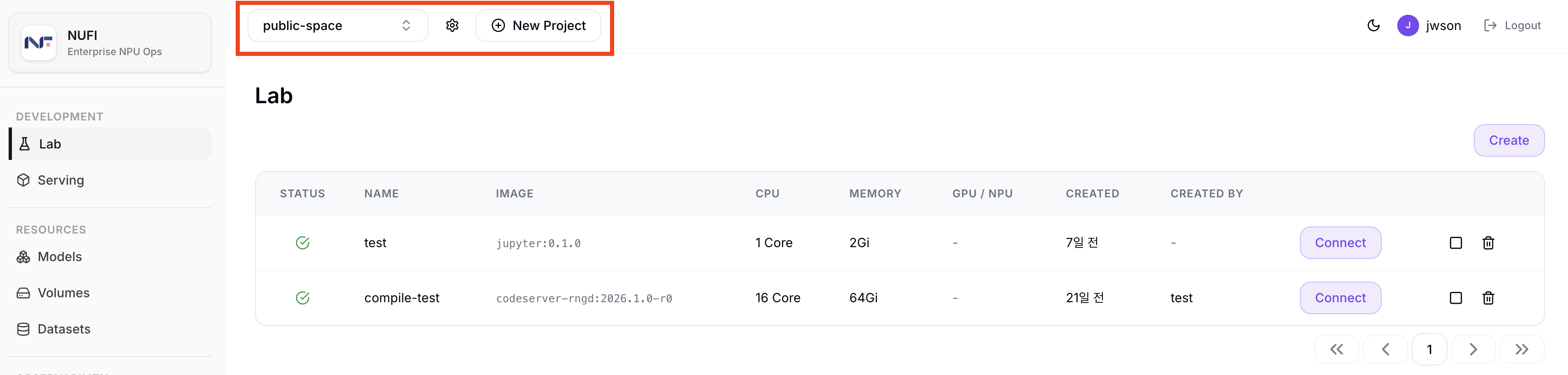
After logging in, use the common top header across NuFi to select and manage projects. From left to right in the screenshot:
- Project name dropdown: Switch the current working project. In the screenshot,
my-projectis selected. Only Labs/Servings/Volumes that belong to the selected project are shown. - Gear icon: Open the Project Settings page for the selected project.
- New Project button: Create a new project. The name must be at least 3 characters, use only lowercase letters, digits, and hyphens, and be unique across the system.
- Add Member button: Invite members to the current project. This button is shown when a project other than
public-spaceis selected, and you enter the invitee's username.
Select a Project
- Click the project selector dropdown in the top header.
- From the list of available projects, select the one you want.
- Resources for the selected project (Labs, Servings, etc.) appear on the screen.
When you select a project, any Lab, Serving, or Volume you create afterward belongs to the currently selected project. Always confirm the correct project is selected before creating resources.
Project Settings
After logging in, click the Project Settings gear icon to the right of the project name dropdown in the common top header.
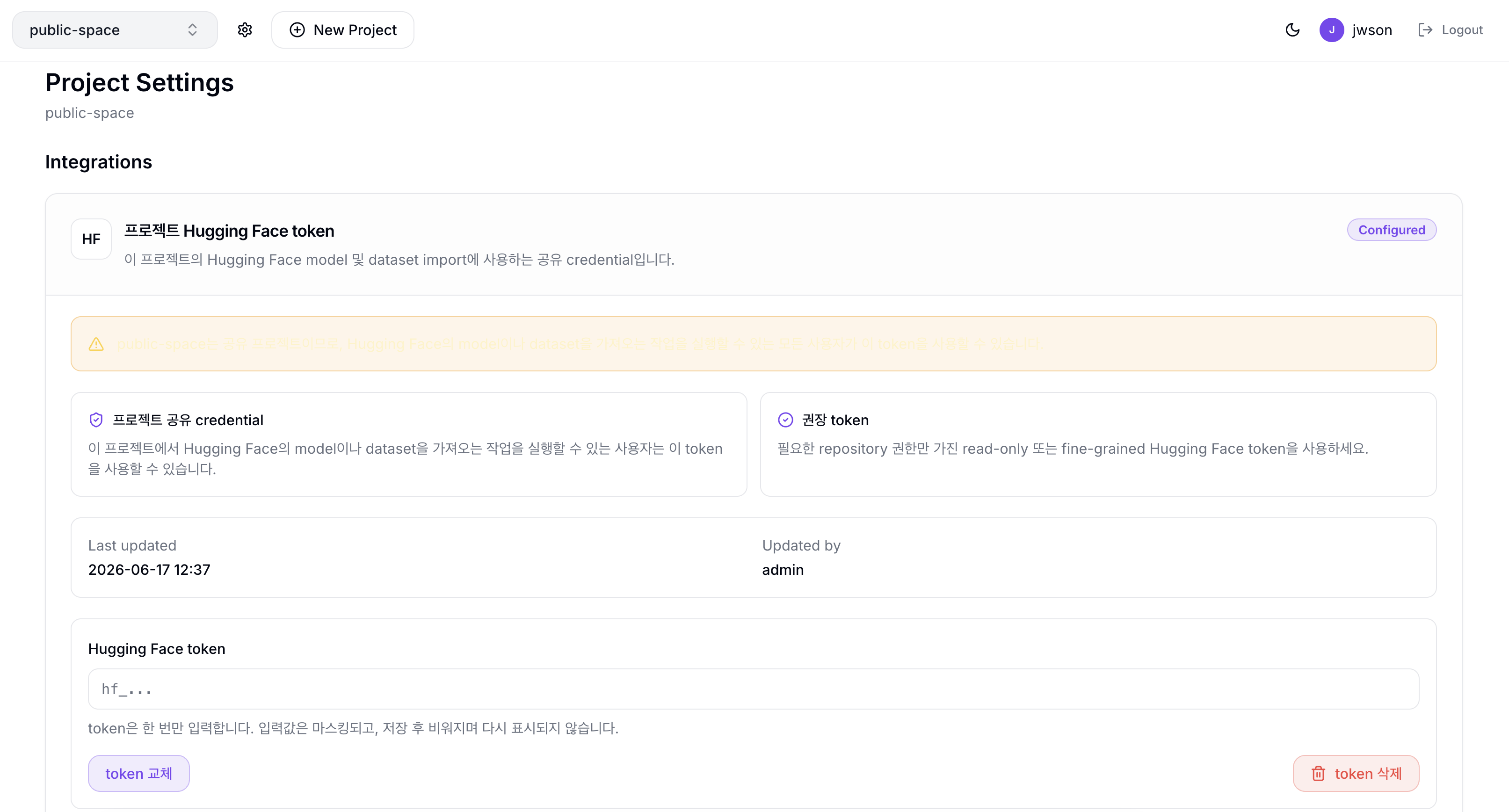
On the Project Settings page, the Integrations section lets you manage the Project Hugging Face token. This token is the shared credential used by Hugging Face Model and Dataset imports in the current project.
Hugging Face token
- Status: Shows whether a token is configured or not configured.
- Last updated / Updated by: Shows when the token was last saved or rotated and who changed it. Empty values are shown as
N/A. - Hugging Face token: Enter an
hf_...token to save it. The value is masked, cleared after saving, and never shown again. - Save token / Rotate token: Saves a new token when none exists, or replaces the existing token.
- Delete token: Shown when a token is configured. After deletion, Hugging Face import jobs in this project run without the project token.
Because public-space is a shared project, any user who can run Hugging Face Model or Dataset imports can use the saved token.
Create a Project
- Click the New Project button in the top header.
- Enter the project name.
- Lowercase letters, digits, and hyphens (-) only, at least 3 characters (e.g.,
my-ml-project). - Project names must be unique.
- Lowercase letters, digits, and hyphens (-) only, at least 3 characters (e.g.,
- Click Create.
Invite Members
- Click the Add Member button in the top header.
- Enter the username of the user to invite.
- Click Add Member.
- The added user can access the project immediately. After refreshing the page, the project appears in their project selector dropdown.
The Add Member button is not shown while the public-space project is selected. Select the project you want to invite members to first.
Leave a Project
- In the project selector dropdown, click the leave icon next to the project you want to leave. The leave icon is shown only for projects that are not currently selected, so switch to another project first if you want to leave the current one.
- Click Leave in the confirmation dialog.
If you are the last member of the project, the leave confirmation dialog includes a warning that the project and all of its child resources (Servings, Labs, Volumes, etc.) will be deleted together. Leaving proceeds only after you confirm.
public-space is the default shared project that every user belongs to automatically. Access is granted at login, and you cannot leave this project.