Datasets
Datasets manage input data for model evaluations. Add uploaded files or Hugging Face data as Dataset Versions, then reuse the same data to run and compare evaluations.
Prerequisites
- A NuFi project must be selected.
- JSONL uploads must be 100 MB or smaller.
- To import private or gated Hugging Face datasets, configure a Hugging Face token in the project settings.
Dataset List
Click Datasets in the left sidebar to view project datasets.
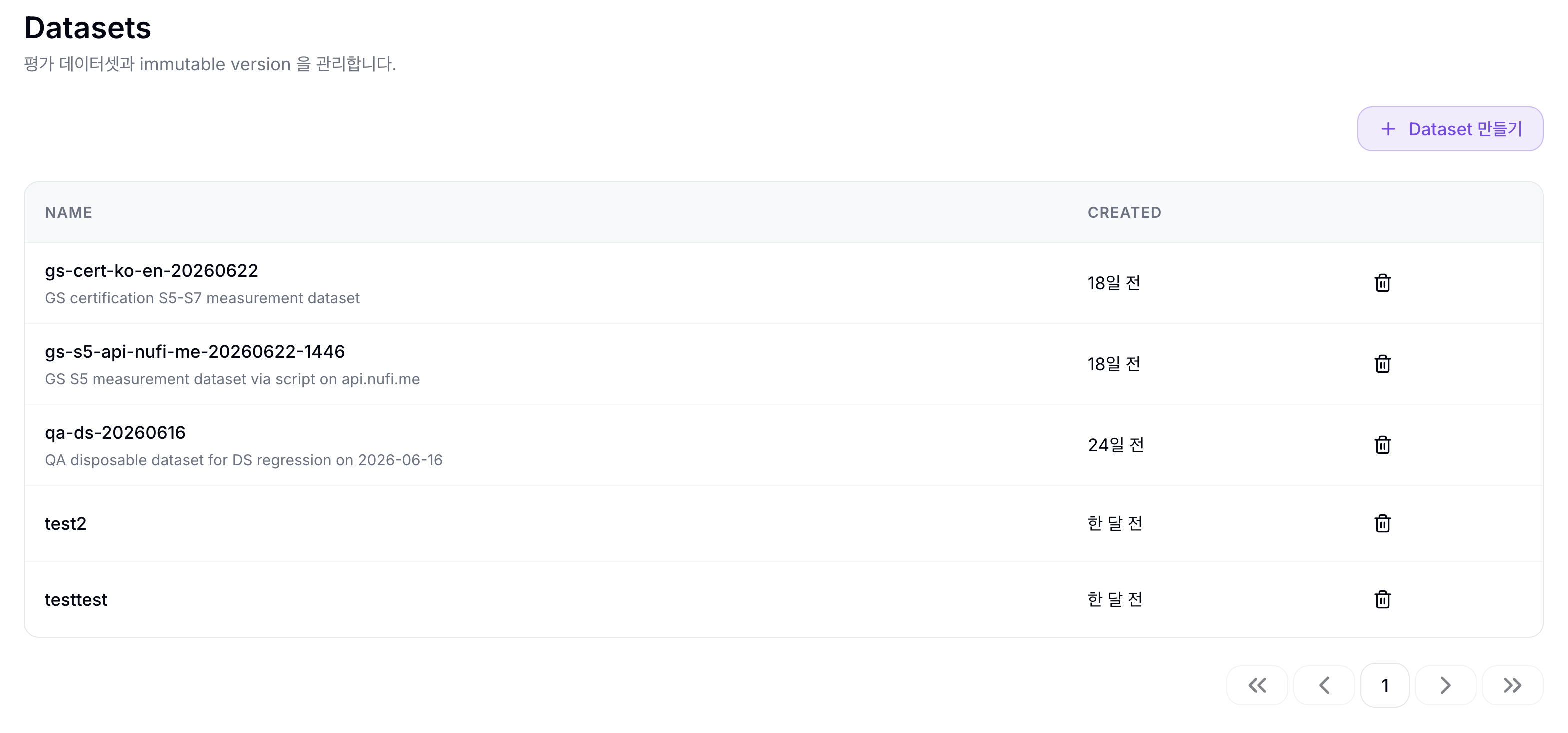
| Column | Description |
|---|---|
| Name | Dataset name and description |
| Created | Dataset creation time |
Use the 삭제 icon at the right side of a row to delete a Dataset. Deletion is available only when the Dataset has no Dataset Versions.
Use Create Dataset to create a new Dataset. At this step you only enter the name and description; add actual data as a Dataset Version from the detail page.
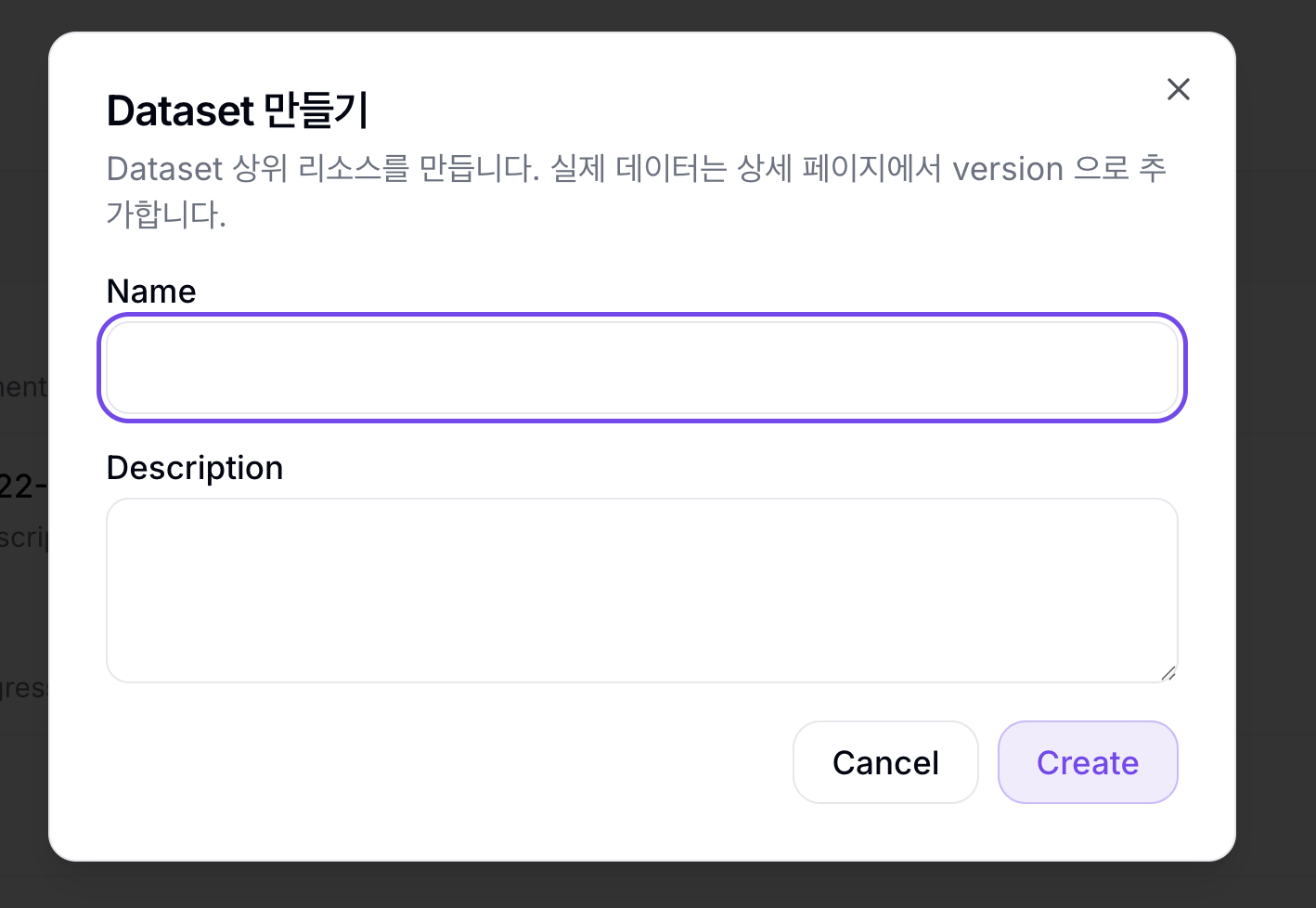
| Field | Description |
|---|---|
| Name | Dataset name. Use lowercase letters, numbers, and hyphens. |
| Description | Dataset description |
Add a Dataset Version
On the Dataset detail page, click Add Dataset Version. Dataset Version creation is handled as an Import job, and a Dataset can have only one active Import at a time.
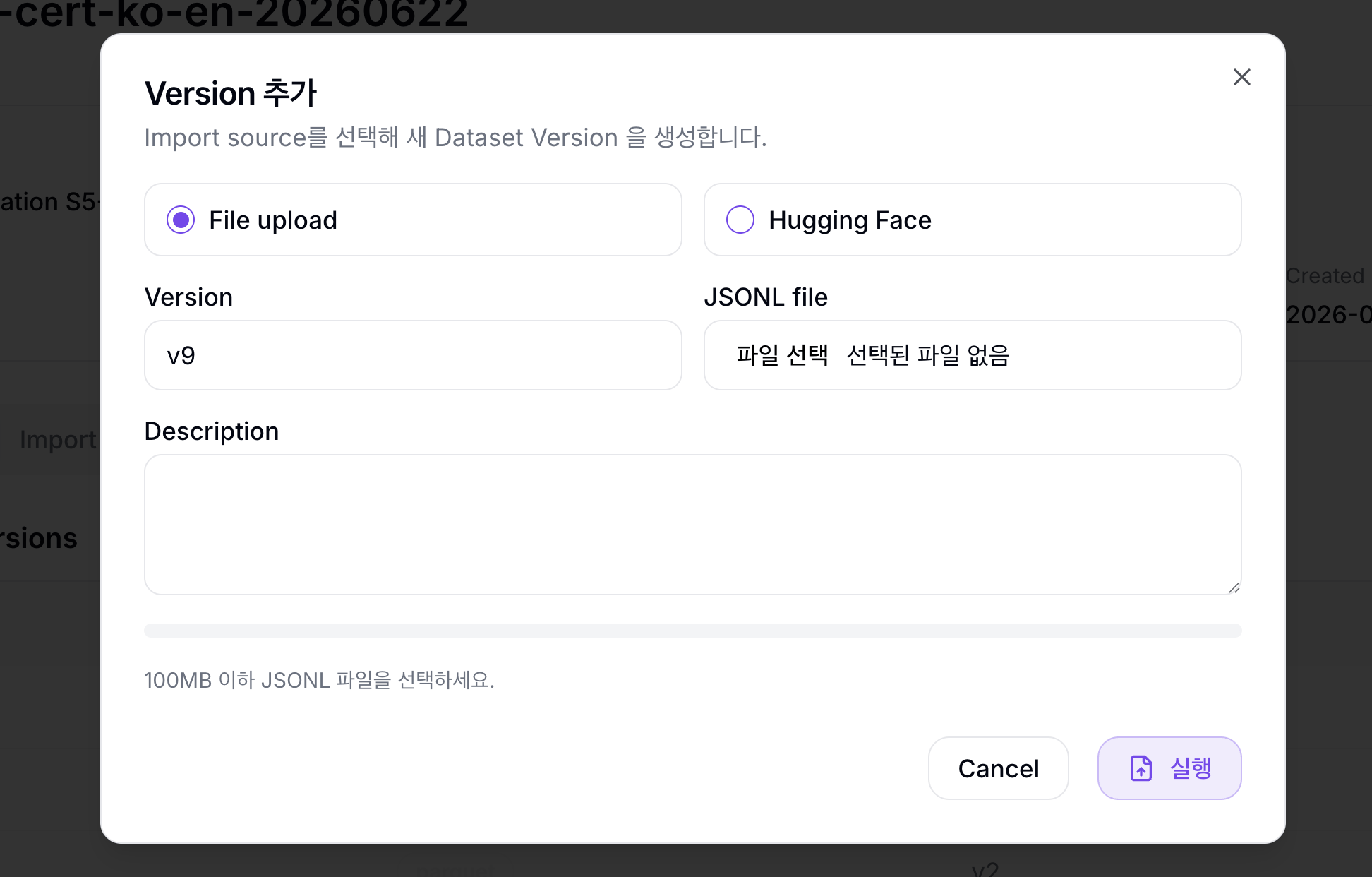
File upload
File upload creates a Dataset Version from an uploaded JSONL file. Each line must be one sample, and fields used by evaluation criteria should usually be string columns.
| Field | Description |
|---|---|
| Version | Dataset Version name, such as v1, main, or 2026-06-qa |
| JSONL file | JSONL file up to 100 MB |
| Description | Dataset Version description |
{"input": "What is 2+2?", "expected_output": "4"}
{"input": "Capital of France?", "expected_output": "Paris"}
After upload, NuFi processes the file and creates a Dataset Version that can be used for evaluation.
Hugging Face
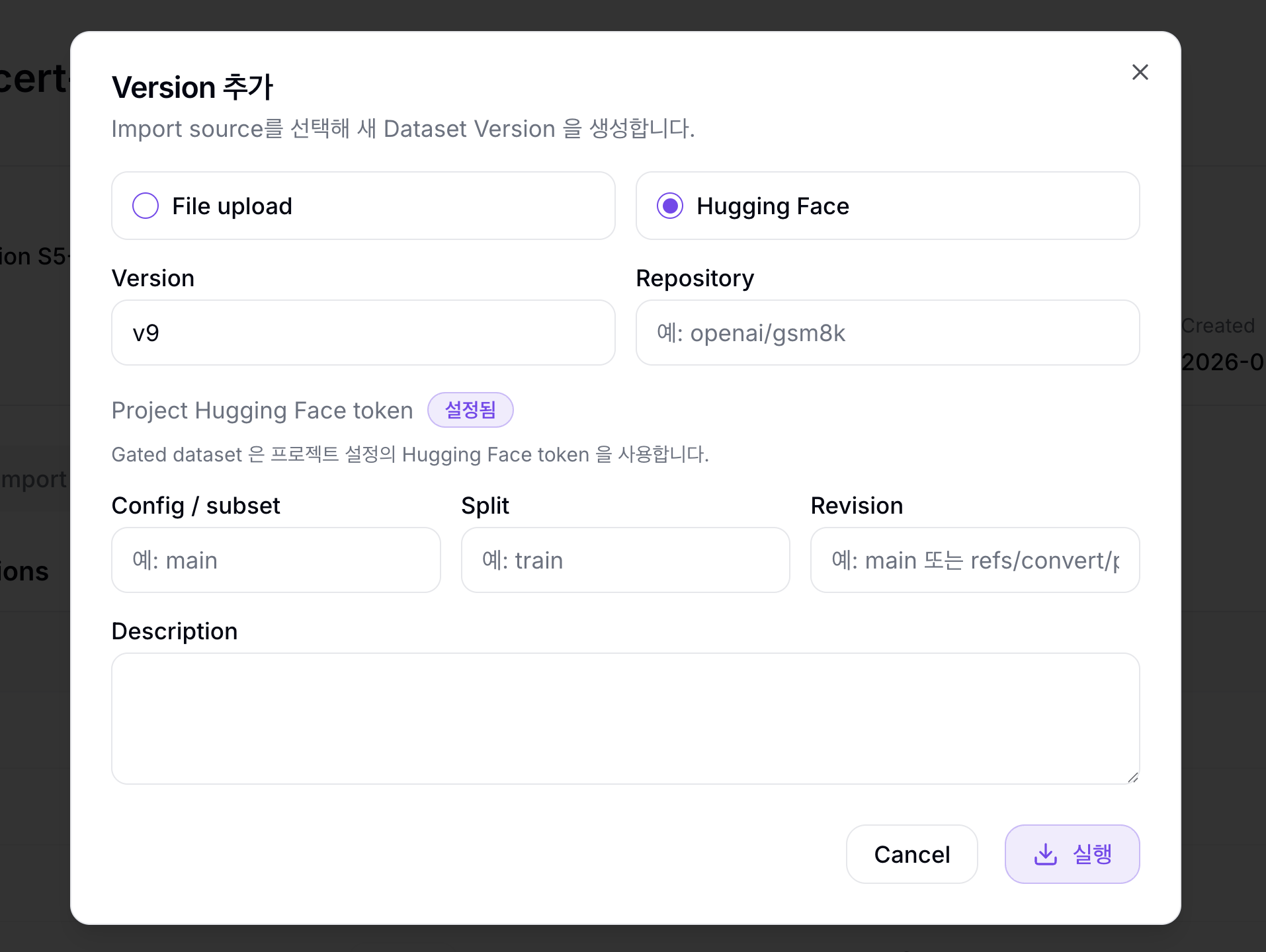
Hugging Face imports a Dataset from the Hugging Face Hub and creates a Dataset Version.
| Field | Description |
|---|---|
| Version | Dataset Version name, such as v1, main, or 2026-06-qa |
| Repository | Hugging Face Dataset repo ID, such as openai/gsm8k |
| Config / subset | Dataset config or subset. Leave empty if not needed. |
| Split | Split to import, such as train or test |
| Revision | Branch, tag, or commit SHA. Leave empty to use the default revision. |
| Description | Dataset Version description |
For private or gated datasets, the dialog shows the project Hugging Face token status. The Import can fail if the token is missing or lacks access.
Import Status
Use the Import History tab on the Dataset detail page to review Dataset Version creation history.
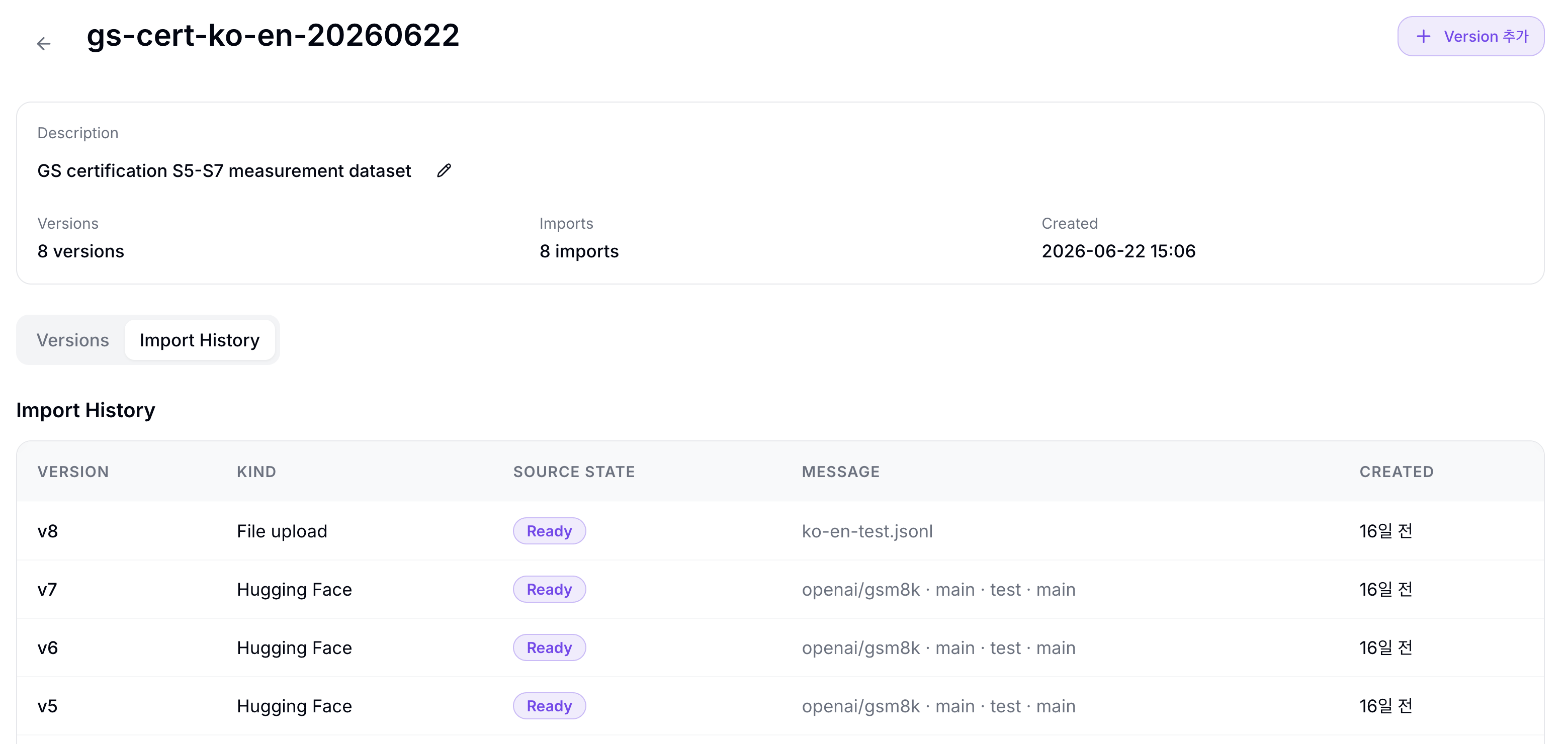
| Column | Description |
|---|---|
| Version | Dataset Version name requested by the Import |
| Kind | Import method |
| Source state | Import progress state |
| Message | Error message or source configuration summary |
| Created | Import creation time |
| Source state | Meaning |
|---|---|
| Pending upload | Waiting for file upload |
| Uploading | Browser upload in progress |
| Queued | Waiting for Import Job creation |
| Running | Data processing in progress |
| Ready | Dataset Version creation completed |
| Failed | Import failed. Check the message and logs. |
When the Import reaches Ready, the new Dataset Version appears in the Versions tab. Click an Import row to open the Import detail page.
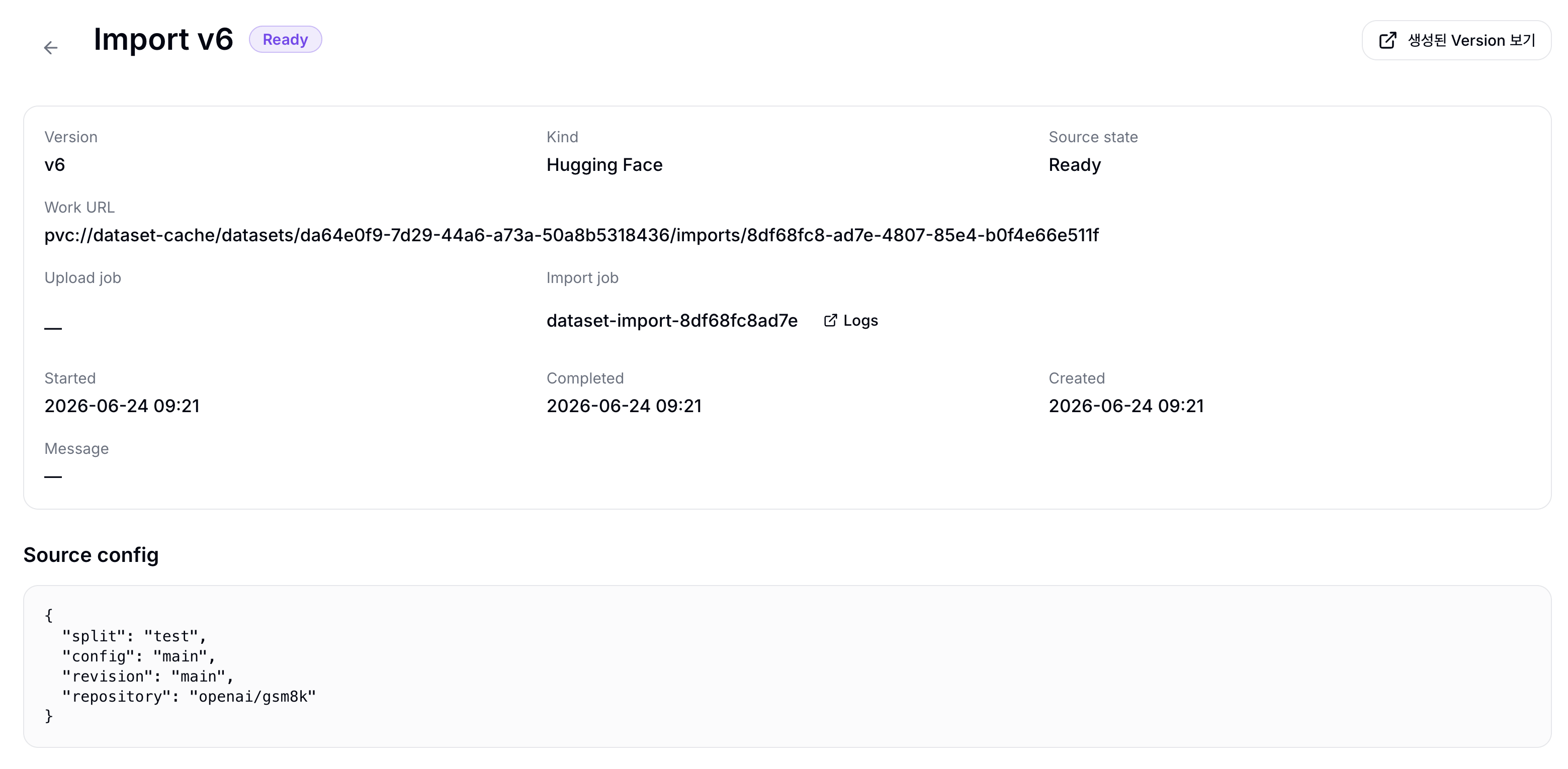
The 생성된 Version 보기 button in the upper-right corner opens the generated Dataset Version detail page.
The top information area shows these items.
| Item | Description |
|---|---|
| Version | Dataset Version name requested by the Import |
| Kind | Import method |
| Source state | Import progress state |
| Work URL | Import work location or temporary work URI |
| Upload job | File upload Job name and Logs link |
| Import job | Import Job name and Logs link |
| Started | Import start time |
| Completed | Import completion time |
| Created | Import creation time |
| Message | Error message or additional message |
The lower Source config section shows the Import source configuration JSON.
Dataset Version Detail
Click a Dataset Version row to open the Dataset Version detail page. The header shows these labels.
| Label | Description |
|---|---|
| Format | Storage format |
| Source schema | Source schema version |
| Ready at | Time when the Dataset Version became Ready |
| Created | Dataset Version creation time |
| Data URI | Dataset Version data URI |
| Description | Dataset Version description |
The Versions tab on the Dataset detail page shows these columns.
| Column | Description |
|---|---|
| Version | Dataset Version name and description |
| Format | Storage format |
| Schema | Source schema version |
| Created | Dataset Version creation time |
Schema Tab
Review columns, types, nullability, and warnings from the profile result. The Evaluation Criteria form uses this schema to suggest input field candidates.
Profile Tab
Review profile results and sample rows. The summary shows these metrics.
| Item | Description |
|---|---|
| Rows | Total row count |
| Bytes | Profiled data size |
| Columns | Number of displayed columns |
| Sample rows | Number of rows shown in Row sample |
Column summary shows these columns.
| Column | Description |
|---|---|
| Column | Column name |
| Type | Column type |
| Nulls | Number of null values |
| Missing | Number of missing rows |
| Null rate | Null ratio |
| Completeness | Ratio of rows with values |
| Distinct | Estimated distinct value count |
| Range | Value range or string length range |
| Value summary | Distribution summary |
Split summary shows row counts by split. Row sample shows up to 100 sample rows in a table, and can be retried if row samples fail to load.
If the profile does not exist yet or failed, use Profile 다시 시도 to create it again.
Evaluation Criteria Tab
Create and manage the evaluation criteria used by this Dataset Version. Criteria are saved for a specific Dataset Version, so even within the same Dataset you should create criteria for the Dataset Version you plan to evaluate. The table title is 평가 기준, and Archived 보기 opens archived criteria. If no criteria exist, the empty state says 등록된 evaluation criteria 가 없습니다.
| Column | Description |
|---|---|
| Name | Evaluation method name |
| Task type | Evaluation task type |
| Evaluator | Evaluation runner |
| Field mapping | Input field and target/reference field mapping |
| Source state | Evaluation method state |
| Created | Evaluation method creation time |
| Actions | Archive or restore action |
Create Evaluation Criteria
On the Dataset Version detail page, click Create Evaluation Criteria.
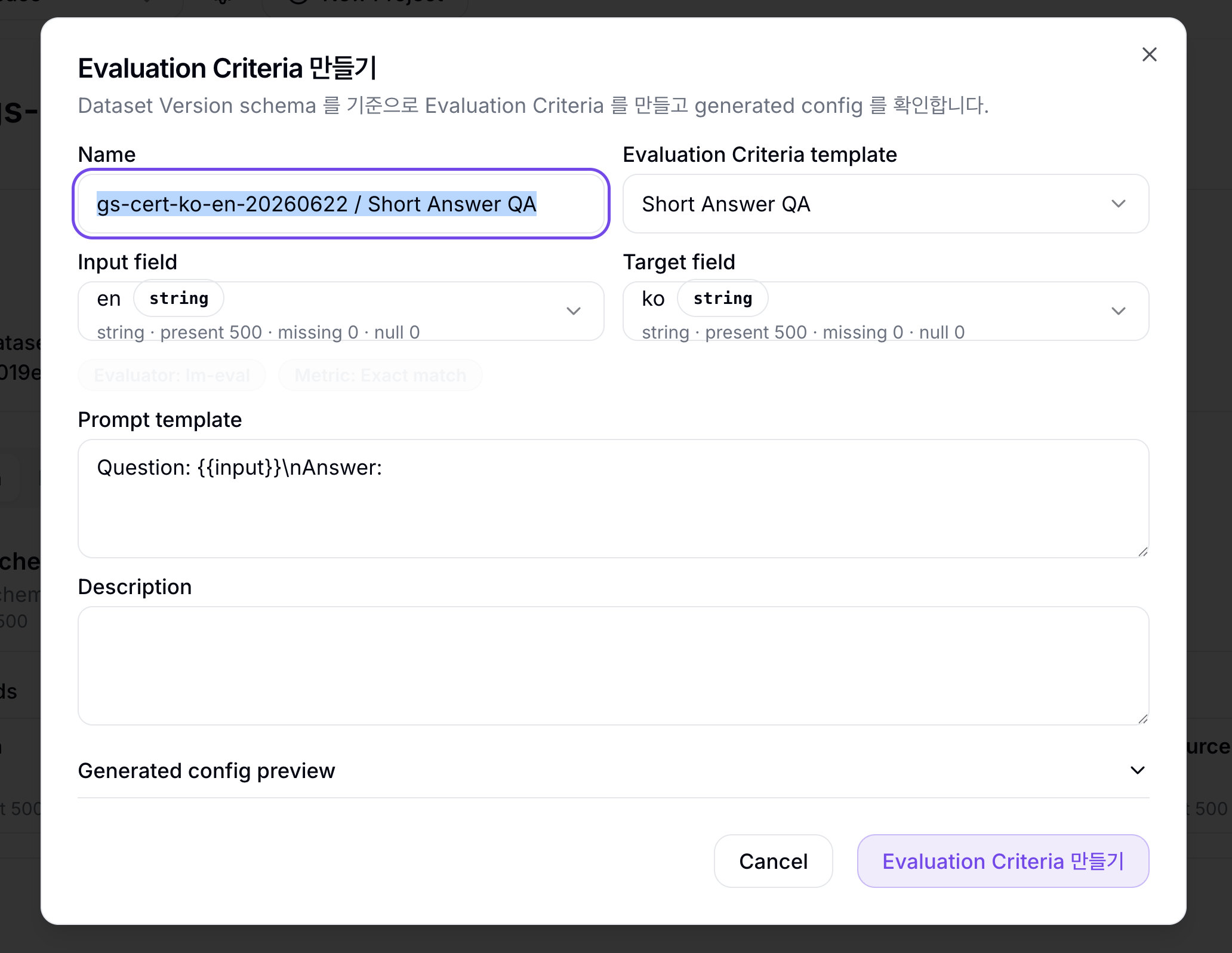
| Field | Description |
|---|---|
| Name | Evaluation Criteria name |
| Evaluation Criteria template | Evaluation criteria template, such as Short Answer QA or Text Generation Match |
| Input field | Dataset column used in the model prompt |
| Target field / Reference field | Dataset column used as the answer or comparison reference |
| Evaluator | Evaluation runner |
| Metric | Evaluation metric |
| Prompt template | Prompt template sent to the model. It must include the {{input}} placeholder. |
| Description | Evaluation Criteria description |
| Generated config preview | Preview of the generated config |
The form validates both the Dataset schema and the template requirements. Fields with incompatible types or missing/null values may be excluded from the selectable options.
Evaluation and compile option optimization can only use Ready Dataset Versions and Ready evaluation criteria. Before running evaluations, check the Dataset Version's Schema and Profile tabs to confirm columns were recognized as expected.