Evaluations
Evaluations run registered model artifacts against a chosen Dataset to measure quality and runtime metrics. By evaluating GPU and NPU compile artifacts on the same Dataset, you can compare accuracy changes, speed, and power efficiency.
Prerequisites
- The target Model Version must have at least one Artifact.
- A Ready Dataset Version must exist.
- That Dataset Version must have Ready Evaluation Criteria.
See Datasets for preparing Datasets and Evaluation Criteria.
Run an Evaluation
From a Model Version detail page, open the Evaluations tab and click Local evaluation run 만들기, or click the  icon on an artifact row in the Artifacts tab.
Evaluation creation has three steps.
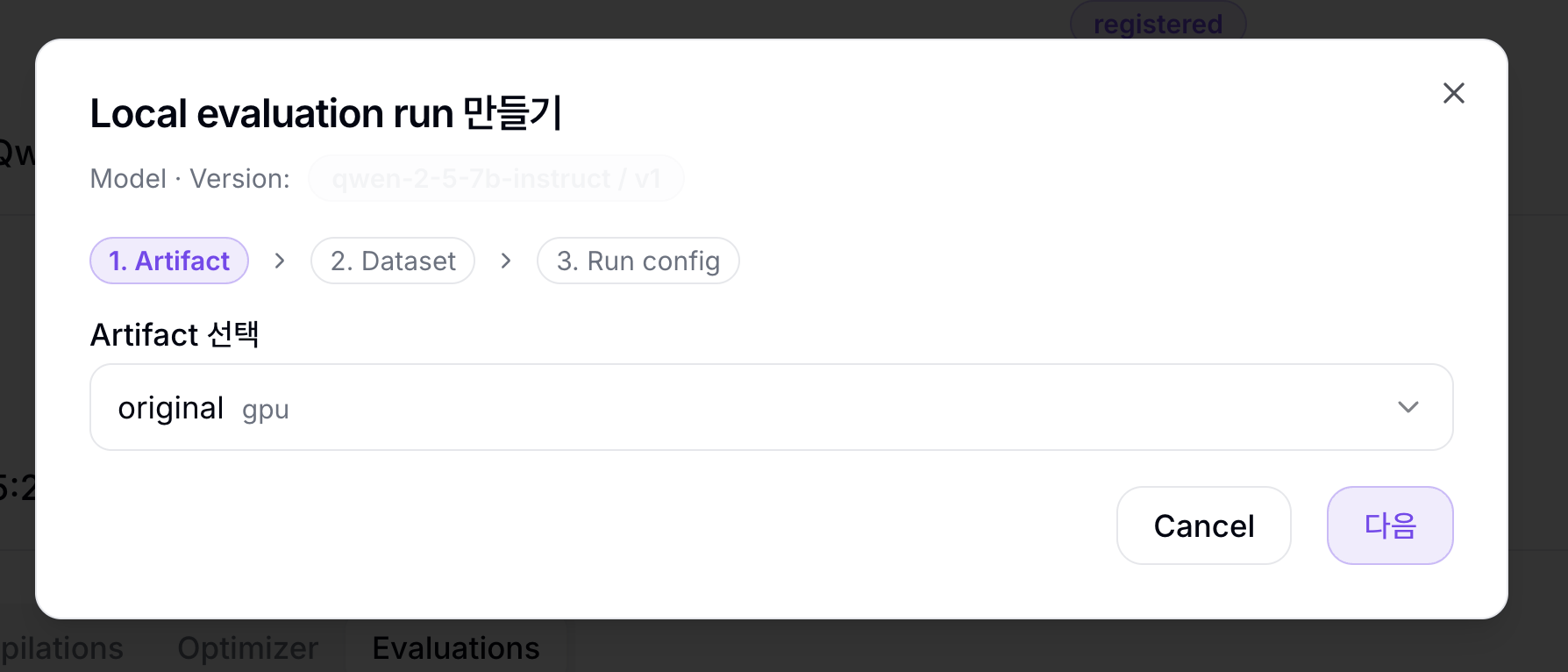
1. Artifact
Select the Artifact to evaluate. If you entered from the Artifacts tab, that Artifact is preselected and locked.
2. Dataset
| Field | Description |
|---|---|
| Dataset 선택 | Dataset containing the evaluation data |
| Dataset Version 선택 | Ready Dataset Version to use |
| Evaluation Criteria 선택 | Ready Evaluation Criteria created for the selected Dataset Version |
If no Evaluation Criteria exists, follow the Evaluation Criteria 만들러 가기 dialog link to the Dataset Version's Evaluation Criteria tab and create one first.
3. Run config
The defaults are enough for normal runs. Open Advanced settings only when needed.
| Field | Description |
|---|---|
| Serving CPU | CPU request for the temporary target serving Pod |
| Serving memory | Memory request for the temporary target serving Pod |
| Serving accelerator 수 | Number of accelerators assigned to the target serving |
| Container image | lm-eval runner image override. Leave empty to use the NuFi default evaluation image |
| Limit | Maximum number of samples to evaluate. Leave empty to use the whole Dataset |
| Batch size | Batch size passed to the evaluation runner |
| 동시 요청 수 | Number of concurrent requests sent to the target serving during evaluation |
| Few-shot 수 | Number of few-shot examples included in the evaluation prompt |
When submitted, NuFi prepares a temporary target serving and evaluator runner, then creates an EvaluationRun.
Evaluation List
Use the Evaluations tab on the Model Version detail page to review runs.
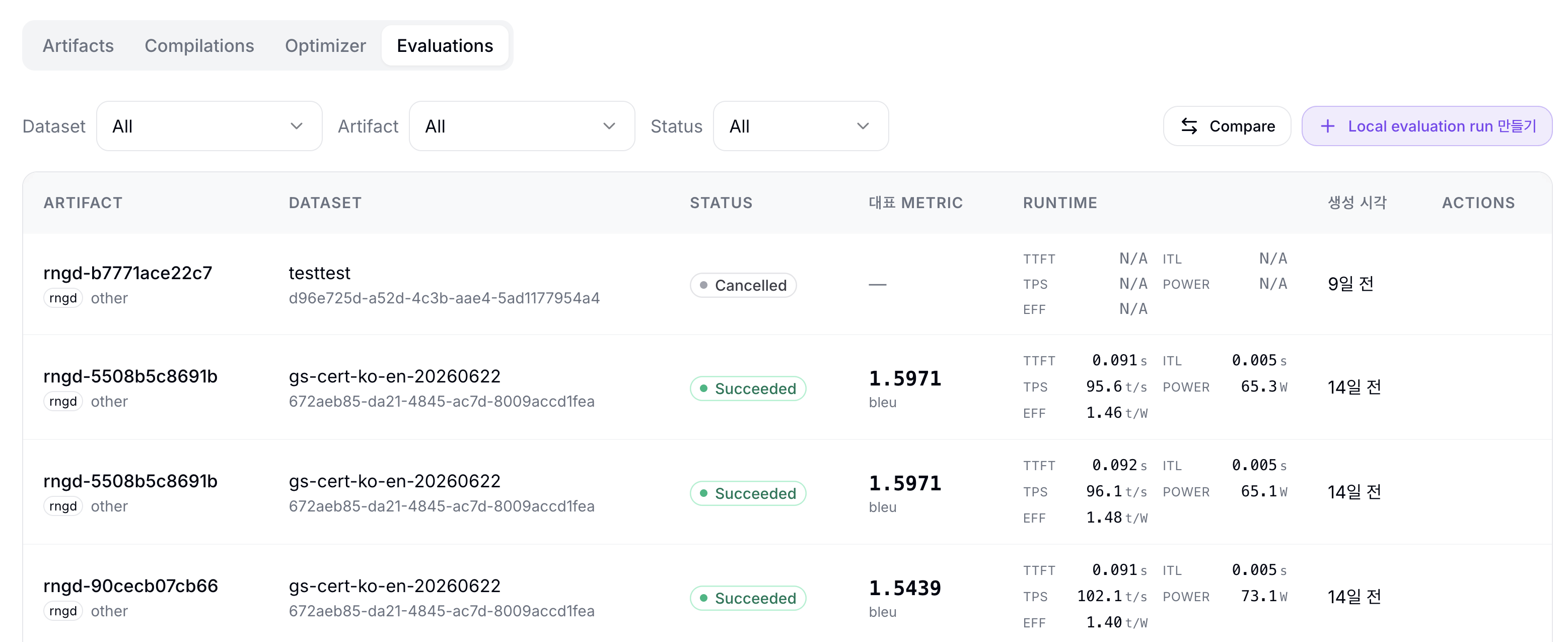
| Column | Description |
|---|---|
| Artifact | Evaluated Artifact |
| Dataset | Dataset and Version used for the run |
| Status | Pending, Starting, Running, Cancelling, Succeeded, Failed, Cancelled |
| 대표 metric | Main quality metric defined by the Evaluation Criteria |
| Runtime | Runtime metrics - TTFT, ITL, TPS, POWER, EFF |
| 생성 시각 | Creation time |
| Actions | Row-level actions such as cancellation |
The list can be filtered by Dataset, Artifact, and Status. Active runs refresh automatically, and Pending, Starting, and Running expose the  icon action for cancellation.
Result Detail
Click a run to open its Run {shortId} detail page.
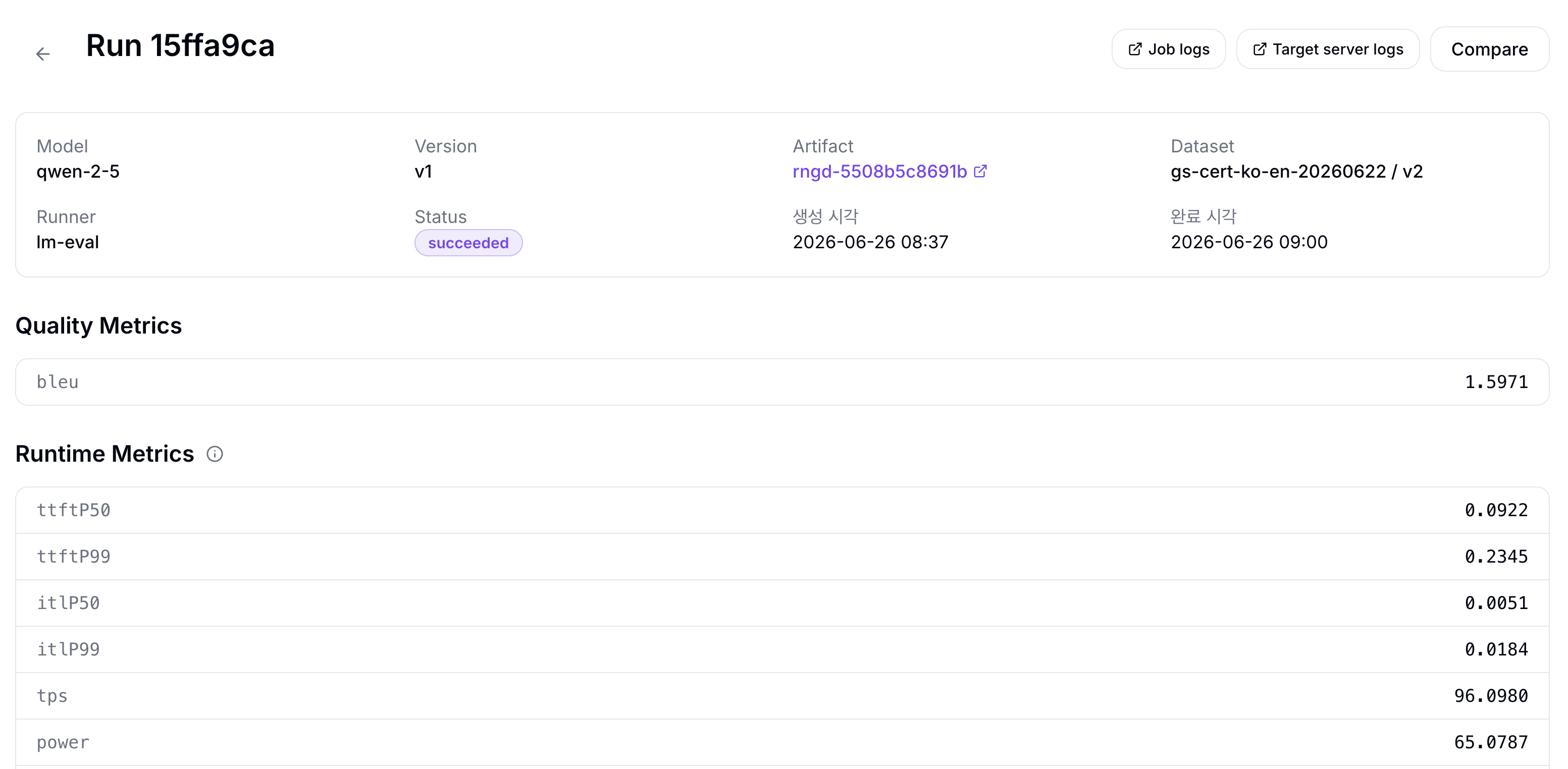
| Section | Description |
|---|---|
| Run summary | Model, Version, Artifact, Dataset, Runner, Status, creation time, completion time |
| Quality Metrics | Evaluator quality metrics such as exact match or score |
| Runtime Metrics | ttftP50, ttftP99, itlP50, itlP99, tps, power, tokensPerWatt |
| Runner Config | Runner type, image/version, generated evaluator config, and snapshot |
| Result Artifact Path | Raw result artifact location. Use the copy button to copy the path. |
Use Job logs and Target server logs to open the runner and temporary serving logs directly.
Compare Results
The Compare screen shows two successful evaluation runs from the same Model Version side by side.
- Click Compare in the Evaluations tab.
- In the A and B slots, select the runs to compare.
- Review the Quality, Runtime, Config, and Compile Options tabs.
| Tab | Description |
|---|---|
| Quality | Compares quality metrics from Evaluation Criteria for A/B |
| Runtime | Compares runtime metrics such as TTFT, ITL, TPS, POWER, EFF |
| Config | Compares artifact, Dataset Version, Evaluation Criteria, runner config, and other run metadata |
| Compile Options | Compares compile options stored on compile artifacts |
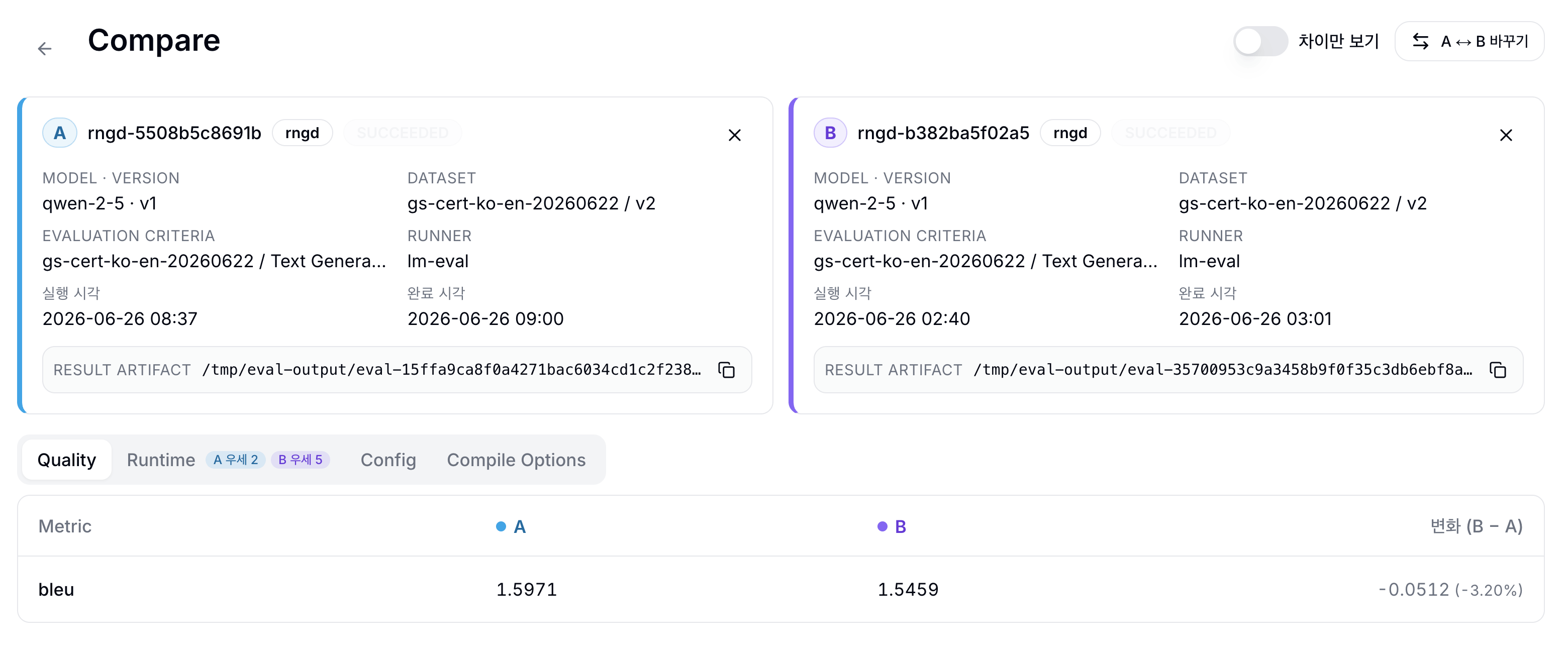
The compare screen prefers runs from the same Dataset Version. If you compare runs from different Datasets, the warning 두 run 의 dataset 이 다릅니다. 비교 결과가 의미 있는지 확인하세요. is shown; avoid interpreting quality differences as model-only differences in that case.
Evaluate the GPU artifact and NPU compile artifact with the same Dataset Version and Evaluation Criteria. Use Quality Metrics to check accuracy preservation, then use Runtime Metrics such as tps, ttft, and tokensPerWatt to compare speed and efficiency.
Cancellation and Failure Handling
- Cancel run requests cancellation of a Pending, Starting, or Running EvaluationRun and cleanup of related Kubernetes resources.
- JSONL schema errors: Check the Dataset Version Schema/Profile tabs and confirm the input/target fields are strings with no null or missing rows.
- Hugging Face private/gated dataset failures: Confirm the project Hugging Face token exists and has access to the dataset.
- Target serving not ready: Check Serving CPU, Serving memory, Serving accelerator 수, artifact platform, and image pull errors.
- OOM or resource shortage: Lower Batch size, 동시 요청 수, and Serving memory, then rerun a short check.
- Missing metrics: Confirm the Evaluation Criteria points at the intended fields and that the runner logs show an evaluator result.
- Log order: Start with error message, then Job logs, Target server logs, and Dataset Version Schema/Profile.