Projects
Administrators can view the full project list, create and delete projects, and view or forcibly remove members of each project from the dashboard UI.
This menu appears only for accounts that have the nufi-admin role.
Deleting a project also deletes the project's Kubernetes namespace and every resource inside it (Serving, Lab, Volume, etc.). Make sure there is no important data before deletion.
Prerequisites
- You must be logged in as an account granted the
nufi-adminrole.
Project list
In the left sidebar, click Admin > Projects.
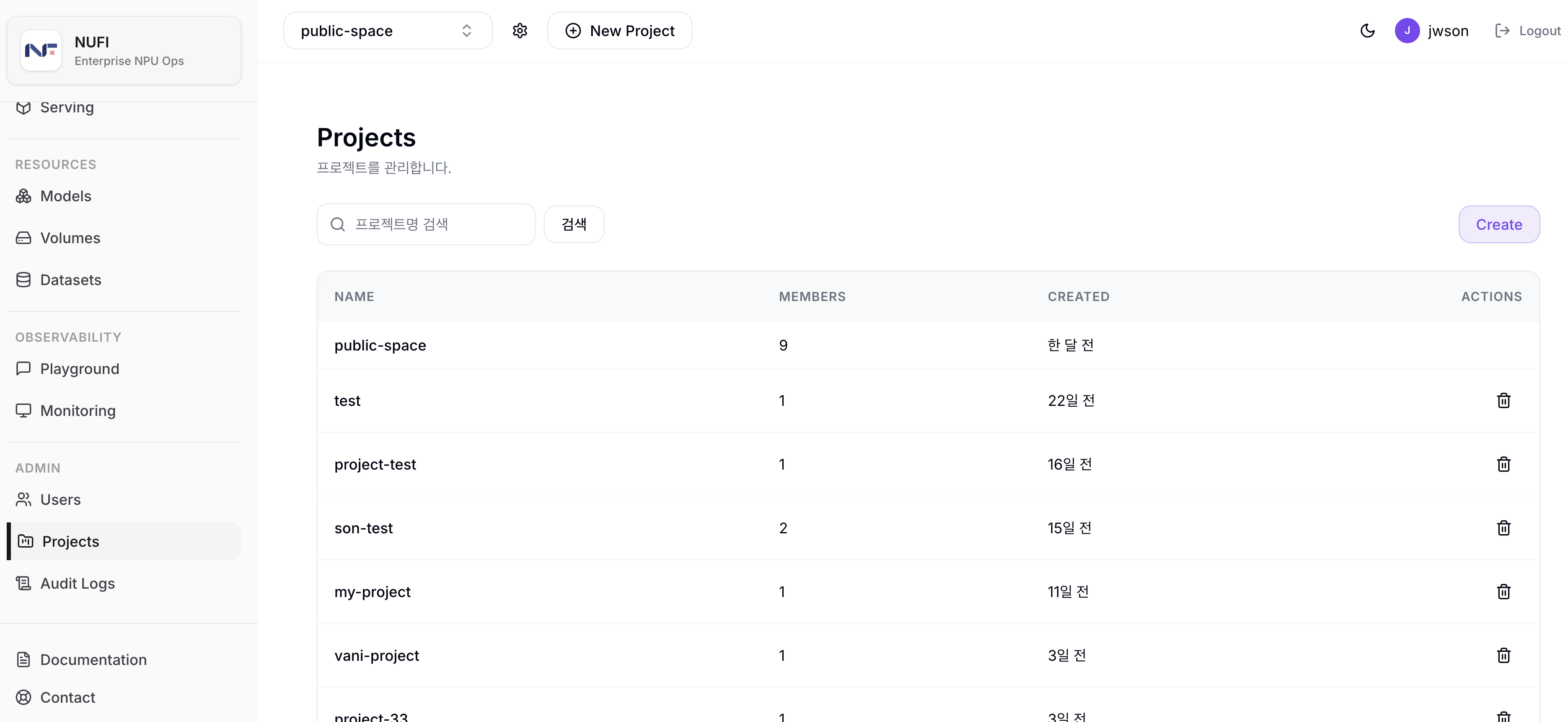
Use the Create button at the top of the list to create a new project. A Kubernetes namespace with the same name as the project is created.
In the Actions column of a project row, click the delete icon (trash can) to delete the project, its K8s namespace, and all child resources. A confirmation dialog warns that all resources will be deleted together before deletion.
The public-space project cannot be deleted and its members cannot be removed.
Columns
| Column | Description |
|---|---|
| Name | Project name |
| Members | Current member count |
| Created | Project creation time |
| Actions | Project delete icon |
Member management
Click a project row to view its member list.
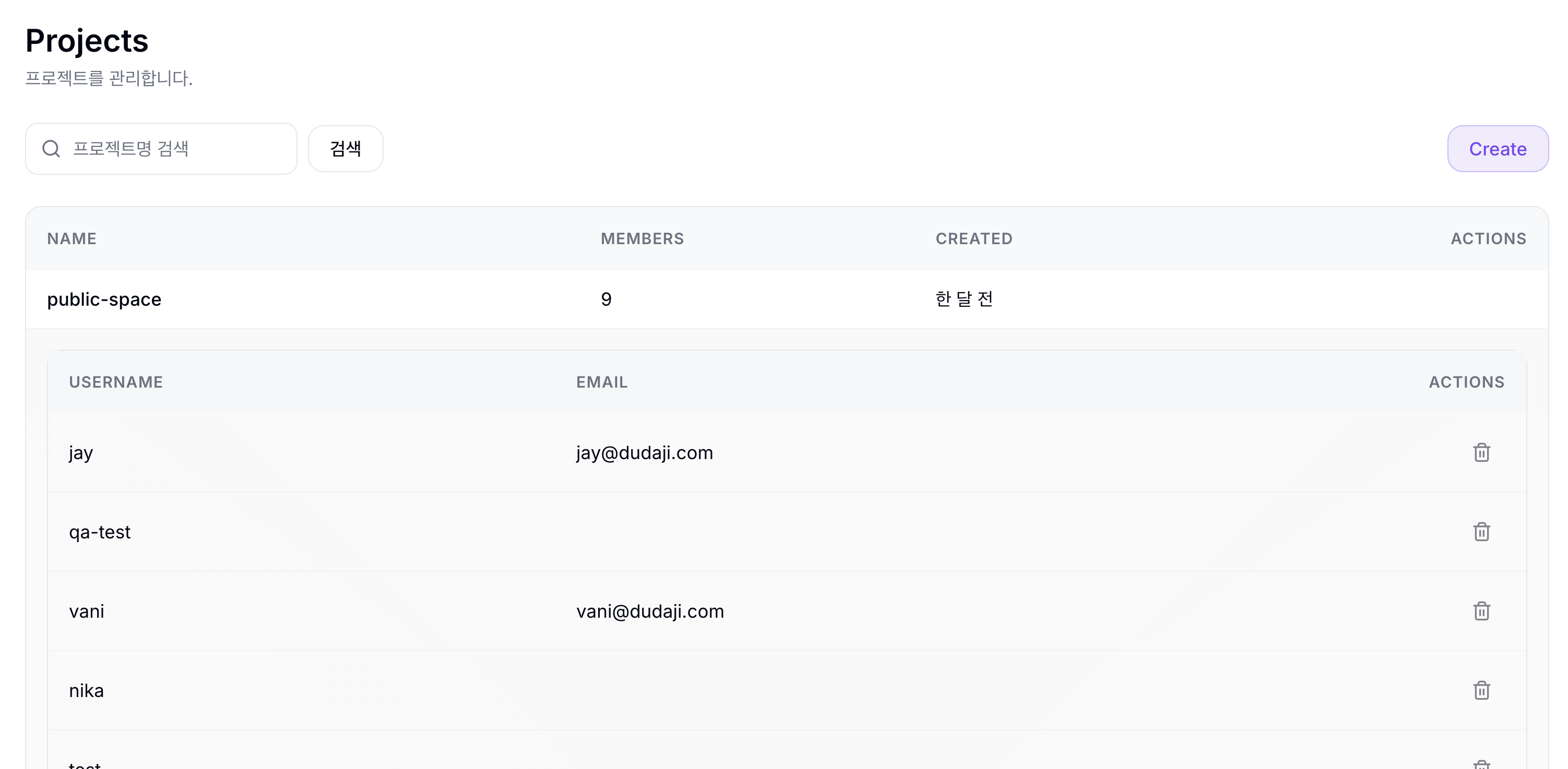
In the Actions column of the member list, click the delete icon (trash can) to remove a specific user from the project. A confirmation dialog appears before removal.
If you try to remove the last member of a project, the confirmation dialog includes a warning that the project and all resources will be deleted together. Deletion proceeds when you click Remove.