Serving Settings
In the Settings tab of the Serving detail page, you configure the inference server, traffic, and Transformer.
- Inference Server
- Traffic Management
Auto Scaling automatically increases or decreases the number of Pods based on request load. It is suitable for services with irregular or hard-to-predict traffic. To keep a fixed number of Pods running at all times, disable it and adjust Replicas only.
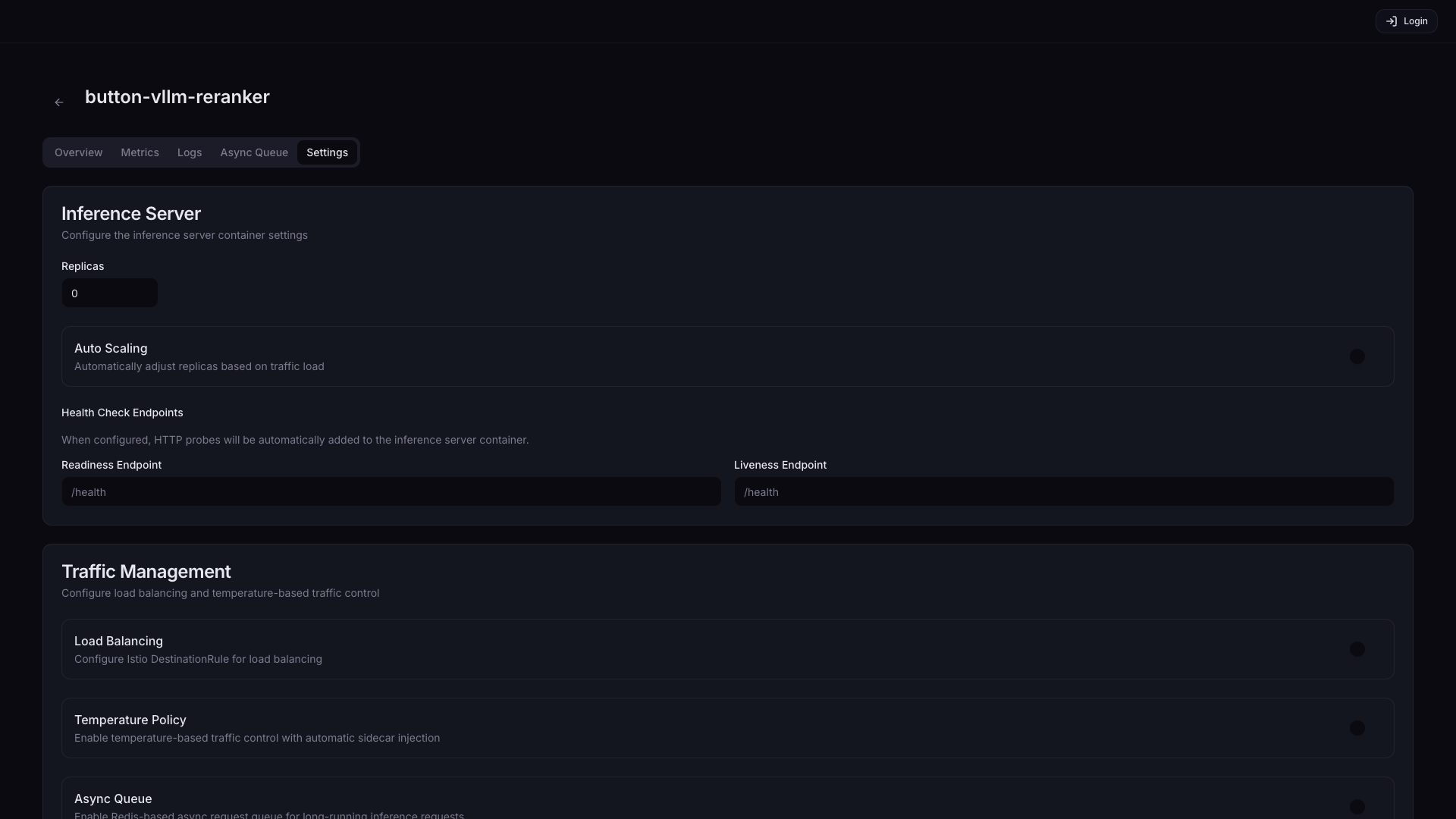
| Setting | Description | Default |
|---|---|---|
| Replicas | Adjust the number of replicas | 1 |
| Auto Scaling | Automatically adjust the Pod count based on traffic load | Off |
| Readiness Endpoint | Endpoint to check whether a Pod is ready to receive traffic (e.g., /health, /v1/models) | - |
| Liveness Endpoint | Endpoint to check whether a Pod is operating normally. Repeated failures trigger automatic restart (e.g., /health, /healthz) | - |
Additional settings when Auto Scaling is enabled:
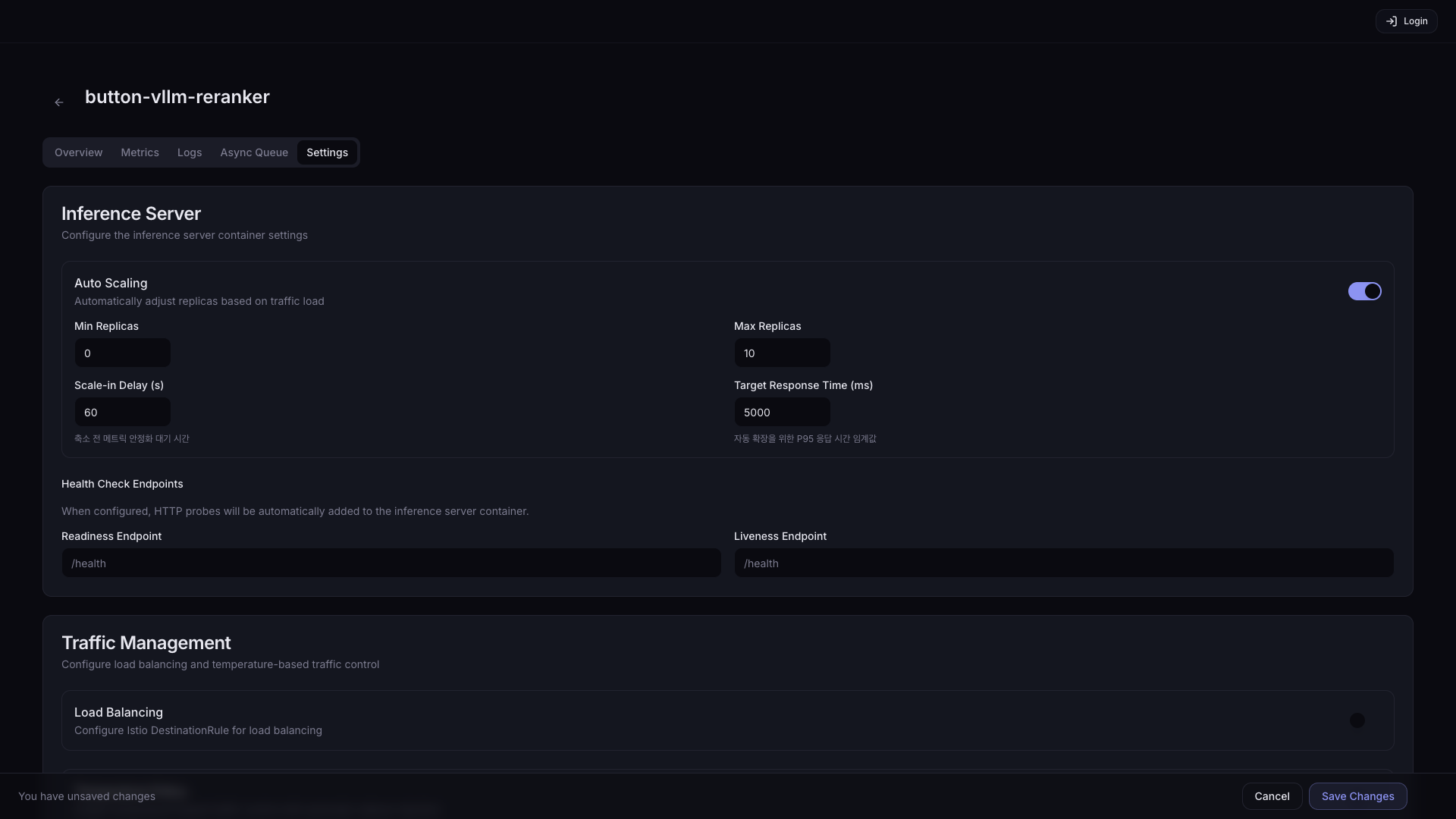
| Setting | Description | Default |
|---|---|---|
| Min Replicas | Minimum number of Pods to keep running at all times. Setting it to 0 lets Pods terminate completely when there is no traffic, saving resources, but incurs a cold start delay (tens of seconds to several minutes) on the next request. | 1 |
| Scale-in Delay (s) | Wait time after traffic decrease before scaling Pods down (prevents flapping) | 60 |
| Max Replicas | Maximum number of Pods (consider cluster accelerator headroom) | 10 |
| Target Response Time (ms) | Target P95 response time used as the auto-scale trigger. Pods are added when exceeded. | 5000 |
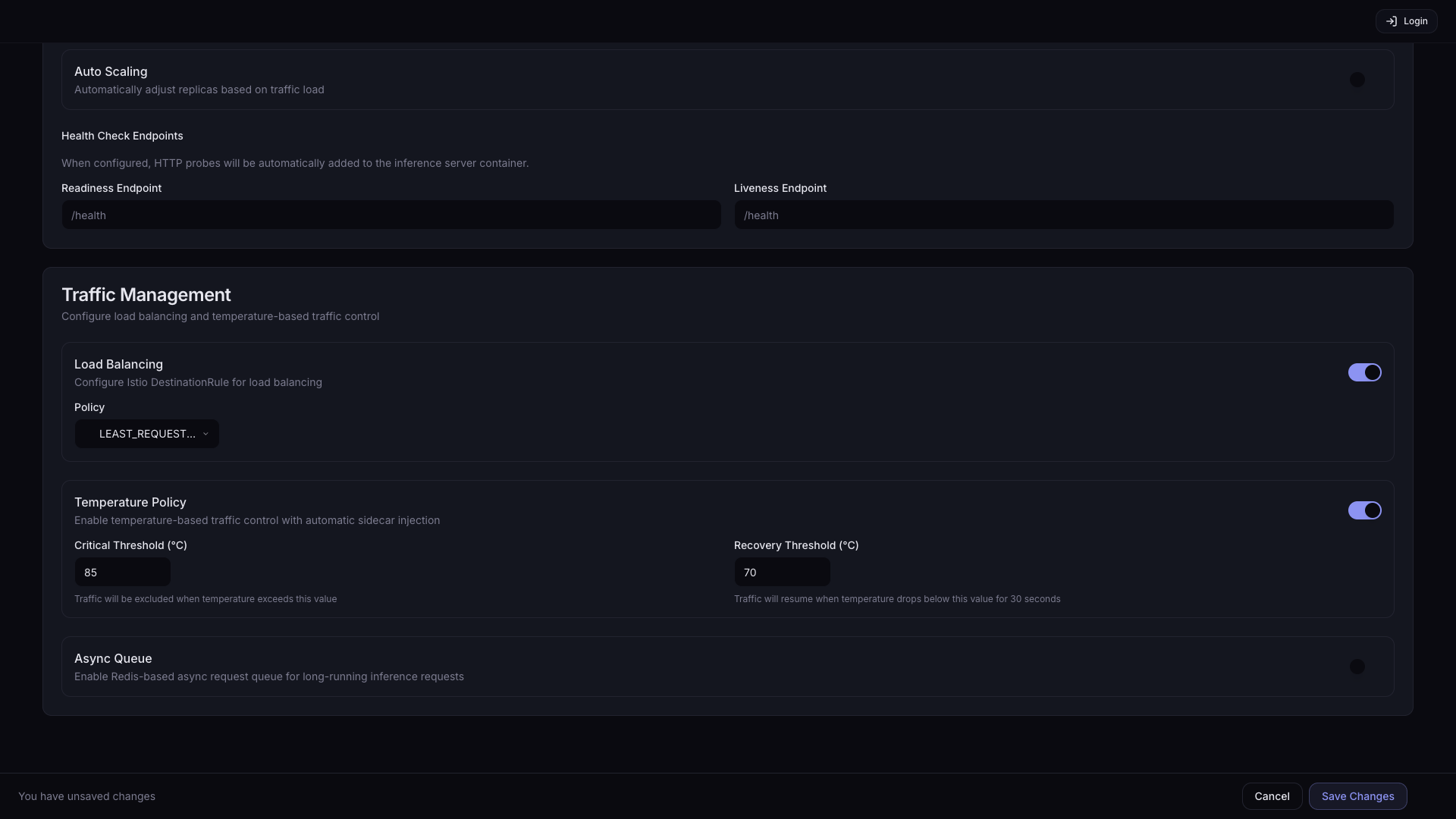
Traffic Management is a group of features that control how requests are distributed across multiple Pods, temperature-based traffic protection, and async processing. If you are running with a single Pod, you can leave Load Balancing and Temperature Policy disabled. Async Queue is used for async workflows where the client submits a request without waiting for an immediate response and retrieves the result later.
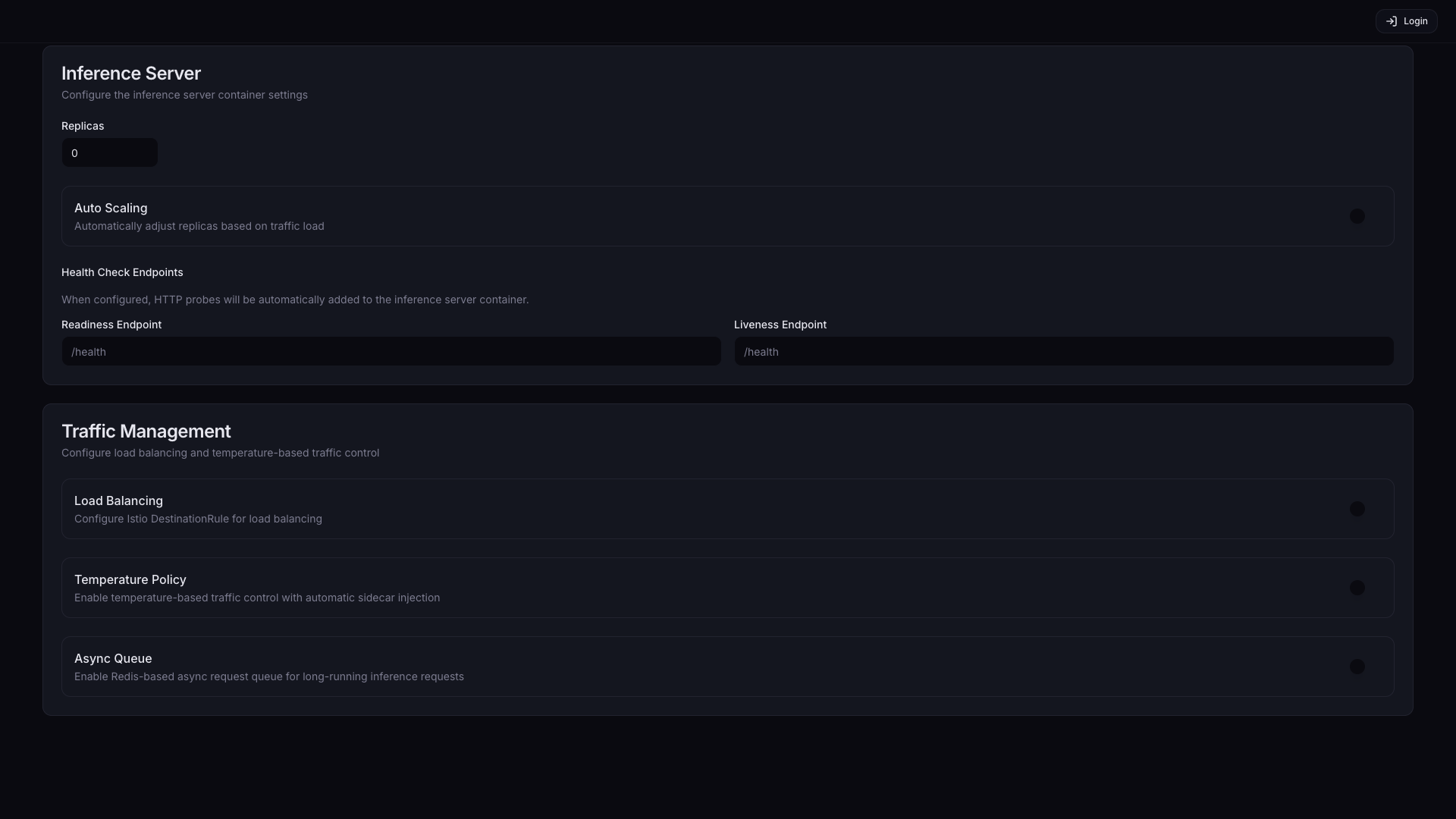
| Feature | Description | Default |
|---|---|---|
| Load Balancing | Distribute requests across multiple Pods. Recommended when Replicas is 2 or more. | Off |
| Temperature Policy | Automatically block traffic to a Pod when GPU/NPU temperature exceeds a threshold, and resume when it recovers. Recommended for hardware protection during long, high-load inference. | Off |
| Async Queue | Enable a Redis-based async request queue. Suitable for batch inference or long-running tasks where the client does not need to wait for an immediate response after submission. | Off |
When Load Balancing is enabled, a Policy dropdown appears:
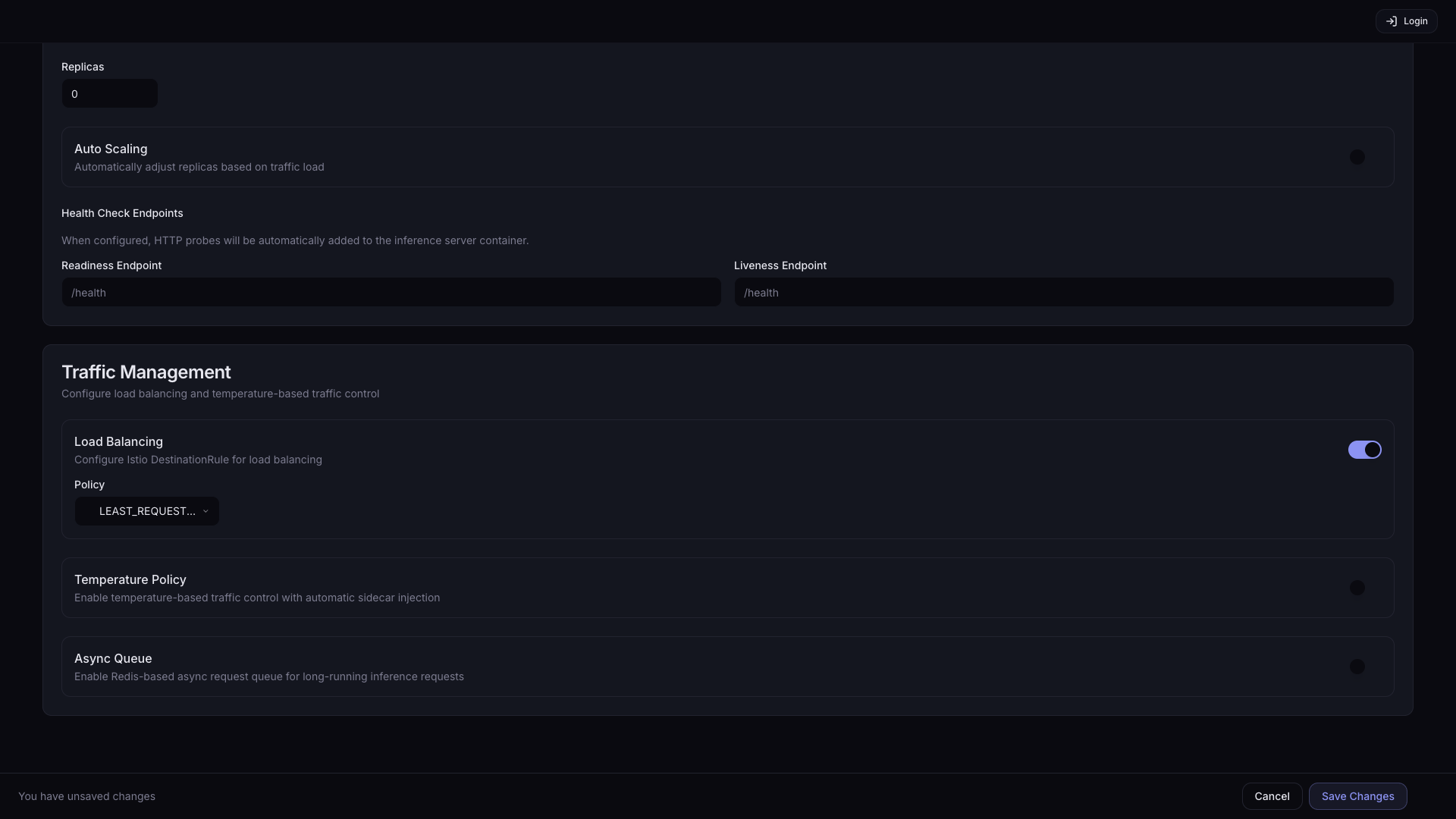
| Option | Description |
|---|---|
| LEAST_REQUEST (default) | Route to the Pod with the fewest active requests |
| ROUND_ROBIN | Route to Pods in rotation |
| RANDOM | Route to a randomly selected Pod |
When Temperature Policy is enabled, threshold settings appear:
| Setting | Description | Default |
|---|---|---|
| Critical Threshold (°C) | Temperature at which traffic is blocked | 85 |
| Recovery Threshold (°C) | Temperature at which traffic resumes | 70 |