Deploy Model Serving
Use the compiled artifact to deploy an NPU- or GPU-based inference service.
Deploy NPU Serving
Use the compiled RNGD artifact to deploy an NPU-based inference service.
1. Select the model
In the left sidebar, click Resources > Models and select the qwen-instruct-tutorial model downloaded in 03. Download Model.
2. Quick Deploy
On the model detail page, click the Quick Deploy button.
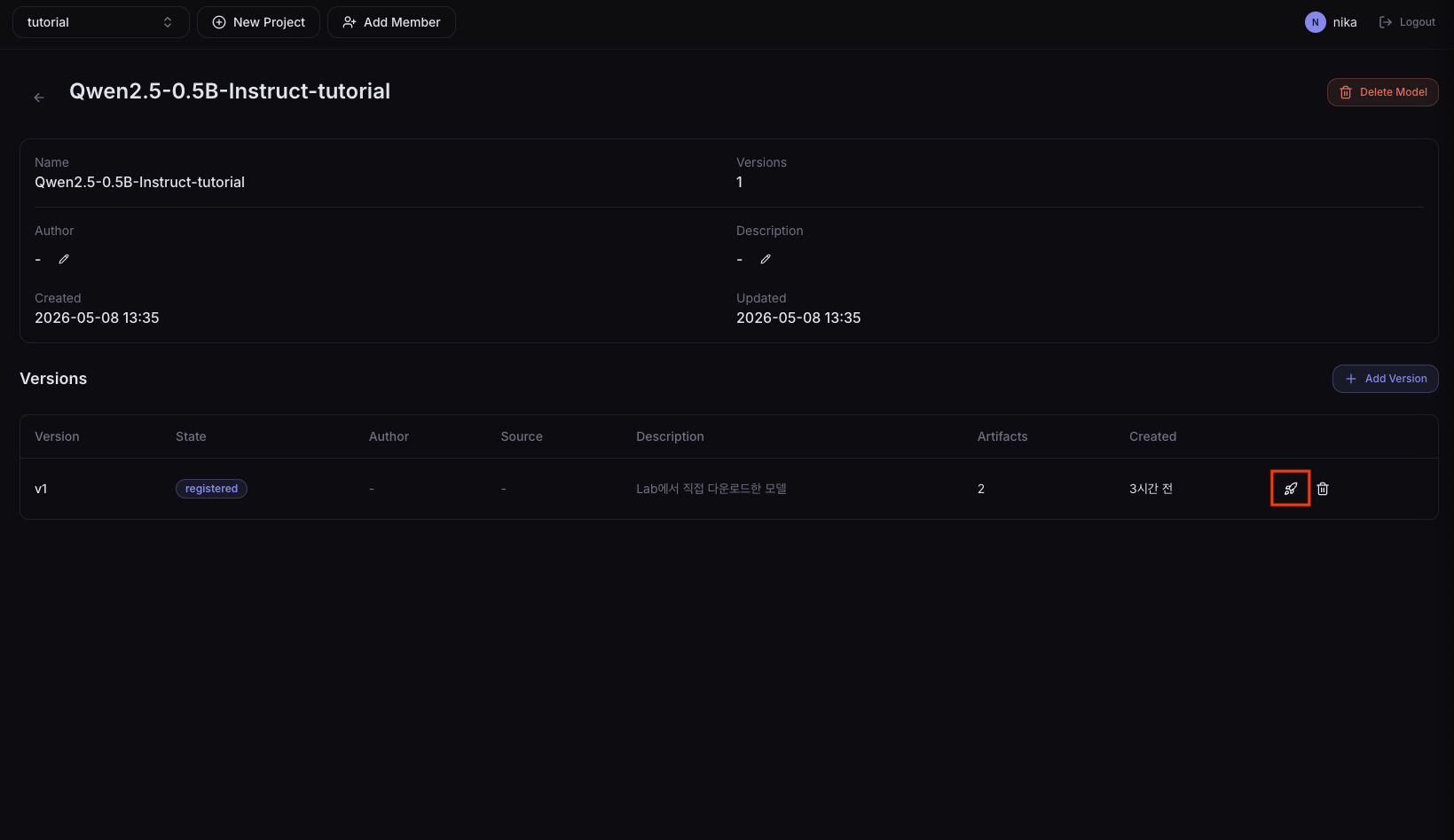
Clicking a version in the list to enter the detail page shows the compile history, and you can also deploy from that page.
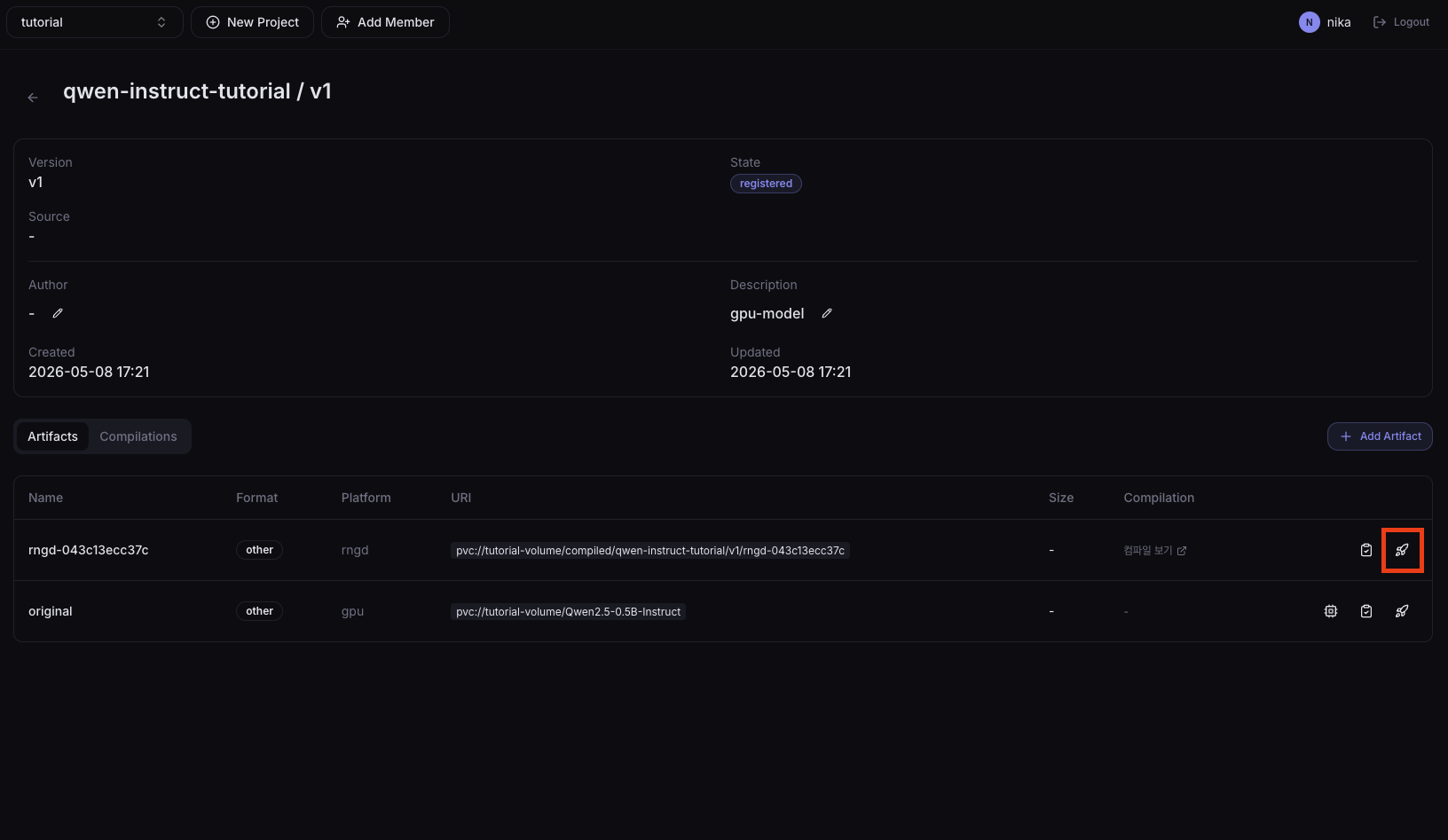
3. Enter deployment settings
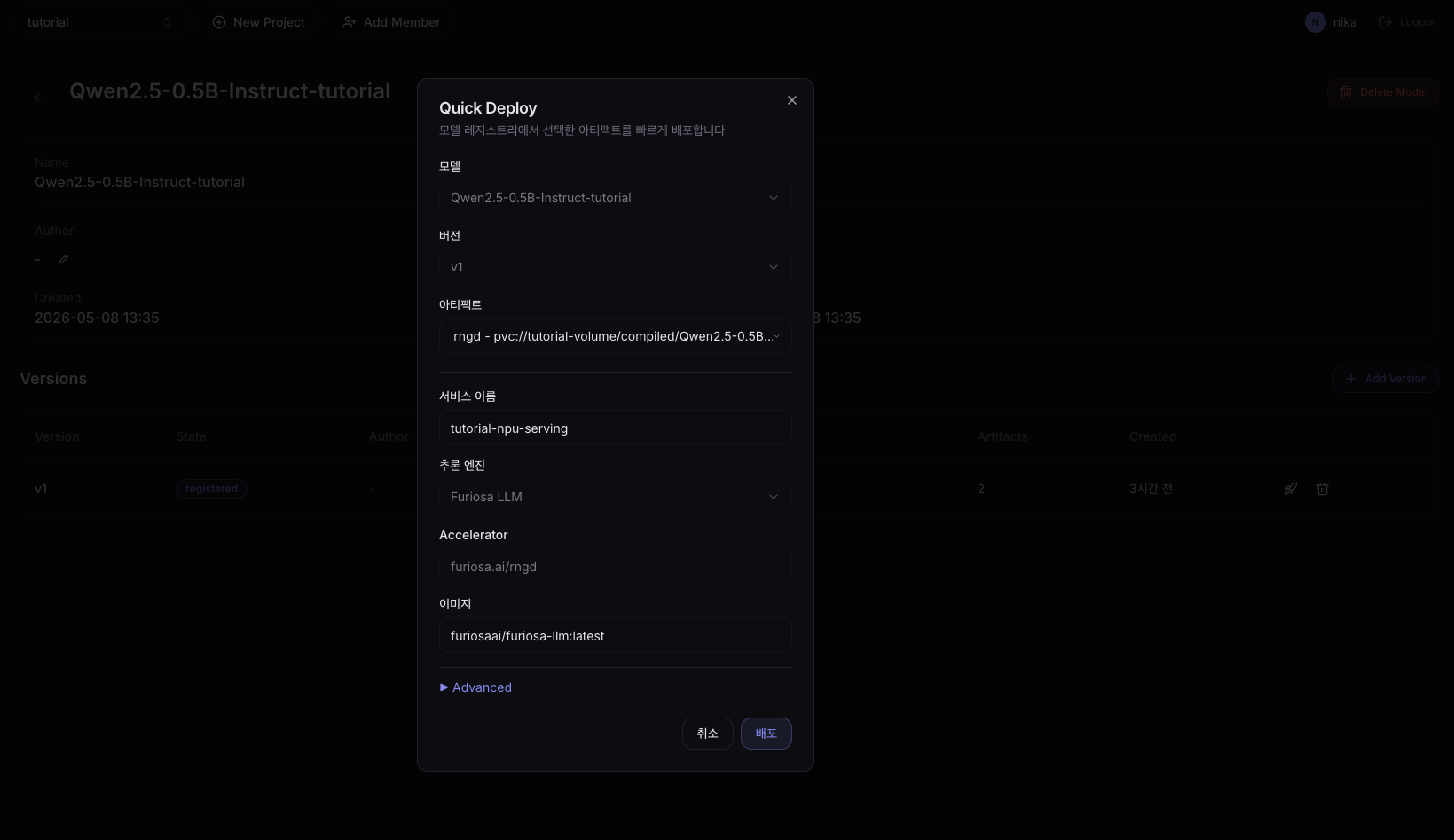
| Field | Example value |
|---|---|
| Service Name | tutorial-npu-serving |
| Version | v1 |
| Artifact | rngd |
4. Check Ready status
In the left sidebar, click Development > Serving and verify that tutorial-npu-serving reaches Ready status.
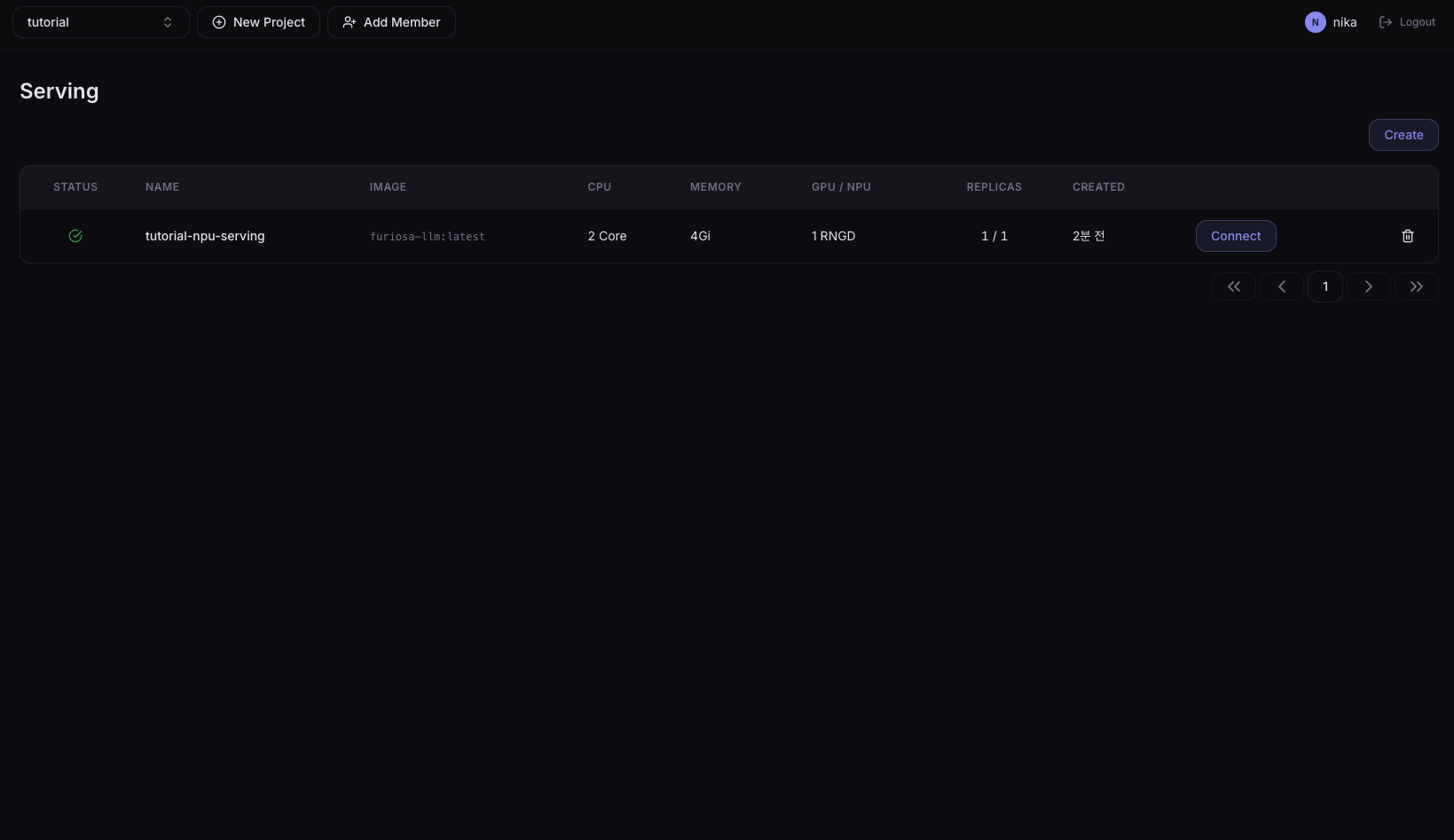
Deploy GPU Serving
The cluster must have an Nvidia GPU node. If there is no GPU node, skip this step.
Proceed the same way as NPU serving deployment, but in 3. Enter deployment settings, select base (GPU) as the Artifact.
Next Step
→ 08. Playground Test — Compare NPU/GPU response quality and speed → 09. Check Monitoring Metrics — Real-time serving metrics dashboard